Your agents on your own box, driven from Slack
6 min readVigneshMarkdown
My team does not sit at my laptop. They sit in Slack. So the agents had to live somewhere else.
They could not live on our servers either. The code is the customer's. A security review asks one question first: where does the code go? I wanted the answer to be one word. Nowhere.
So Loopgate runs on a box of yours. Any Linux machine with Docker, in your cloud or your data centre. We call it the runner.
What stays on the box
The code, the agents' changes, what each step is told and what it says back. All of it stays on that machine. The pull request goes from it to your GitHub, with your token.
The agents think with the subscription you already pay for. ChatGPT or Claude, signed in with your own account. There is no API key to buy, and none to give us.
What Loopgate's servers receive, word for word from the guides:
A heartbeat, your team's member list, and a short record of each finished run, who ran it, when, how it ended and what it cost. Never code, diffs, prompts, transcripts or the task.
That is the whole list.
One line
An owner opens the portal, goes to Devices and presses Add a runner. The portal shows one line. You run it on the box.
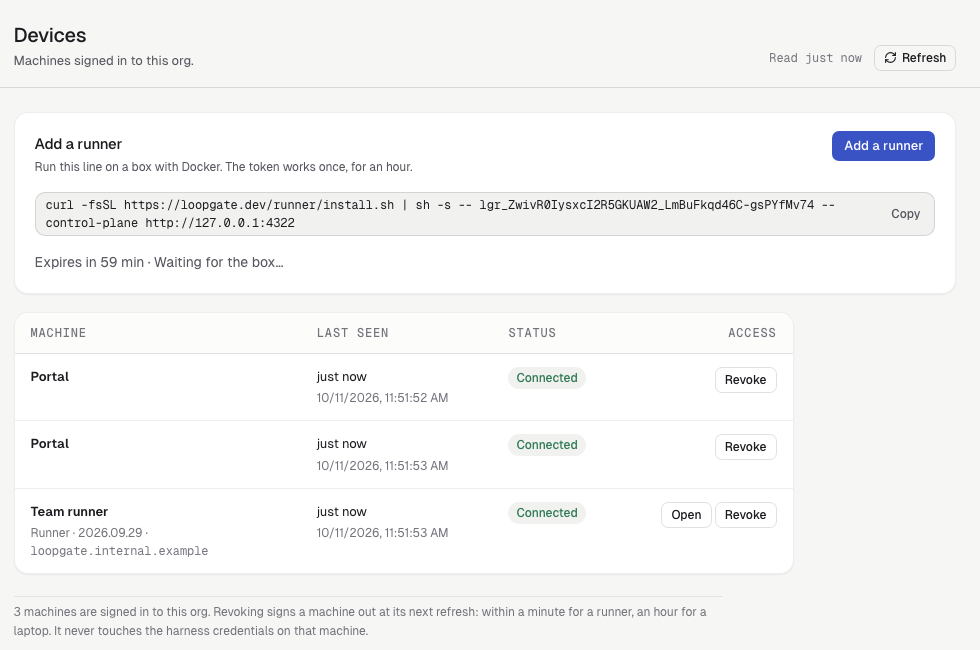
The token works once, for an hour. The box redeems it at first start and holds its own sign-in after that. Your credentials never go through the portal. When the box is up, its row says Connected.
It needs an address your team can open. By itself it gets a temporary one. Cloudflare Tunnel or Tailscale makes it permanent. Each has its own guide.
The runner's own page
Members open the runner from the portal's Devices page. It is the same workbench I use on my laptop. Three things get set once.
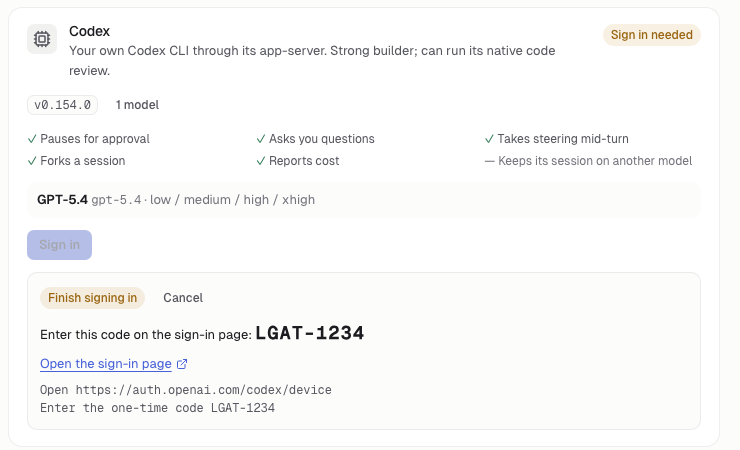
Engines. An owner signs the runner in to Codex, Claude Code or pi the way you sign in a TV: open the address the page shows on your laptop and enter its code, or paste back the code you are given.
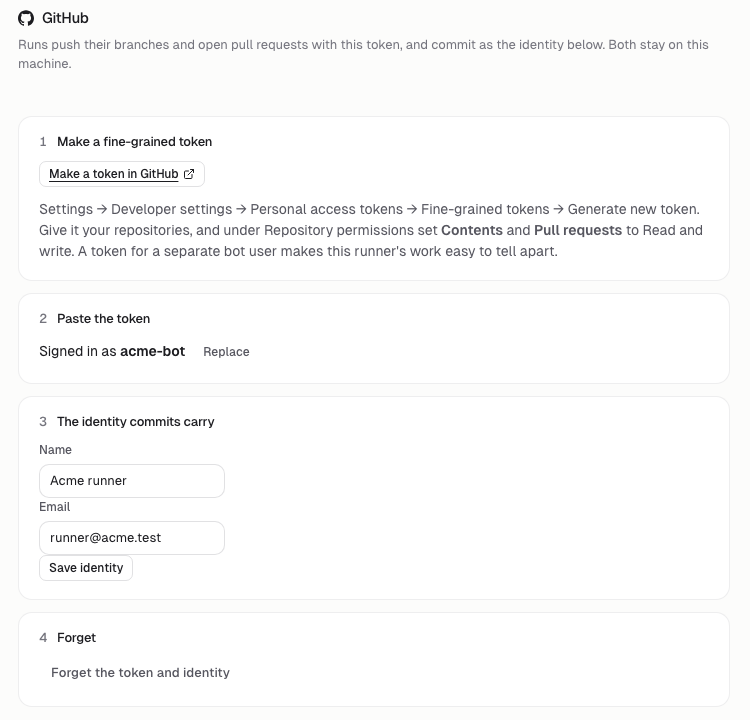
GitHub. A fine-grained token with Contents and Pull requests, and the name and email commits carry.
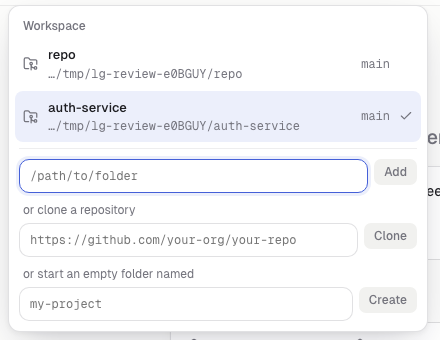
Workspaces. A folder already on the box, a repository to clone, or an empty one.
Then Slack
The Slack app is yours too. You make it in your workspace from a manifest, and it talks to the runner over Socket Mode. Nothing of Slack's reaches us.
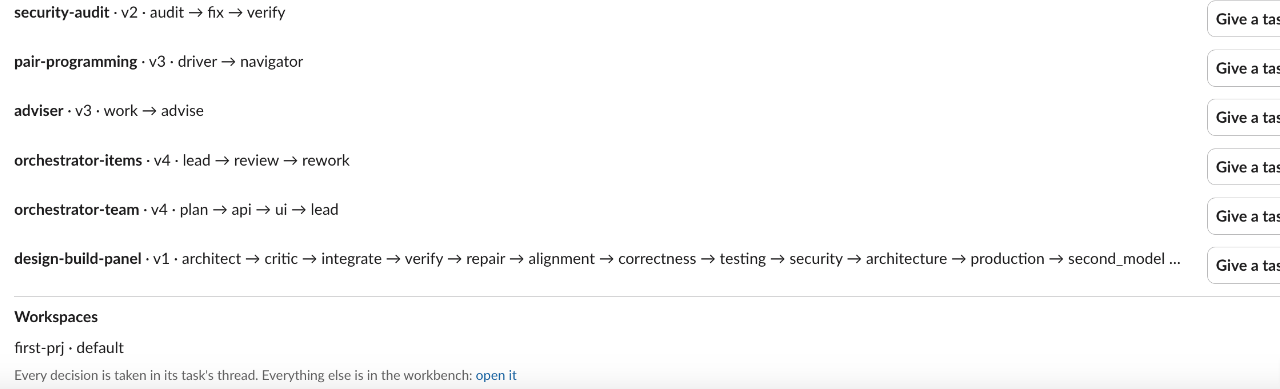
This is my own test workspace. Home lists the agents and workflows, each with Give a task, and the workspaces.
A task came in, in Slack: implement rate limit and DDOS prevention for our app. Loopgate answered in the thread with a card.
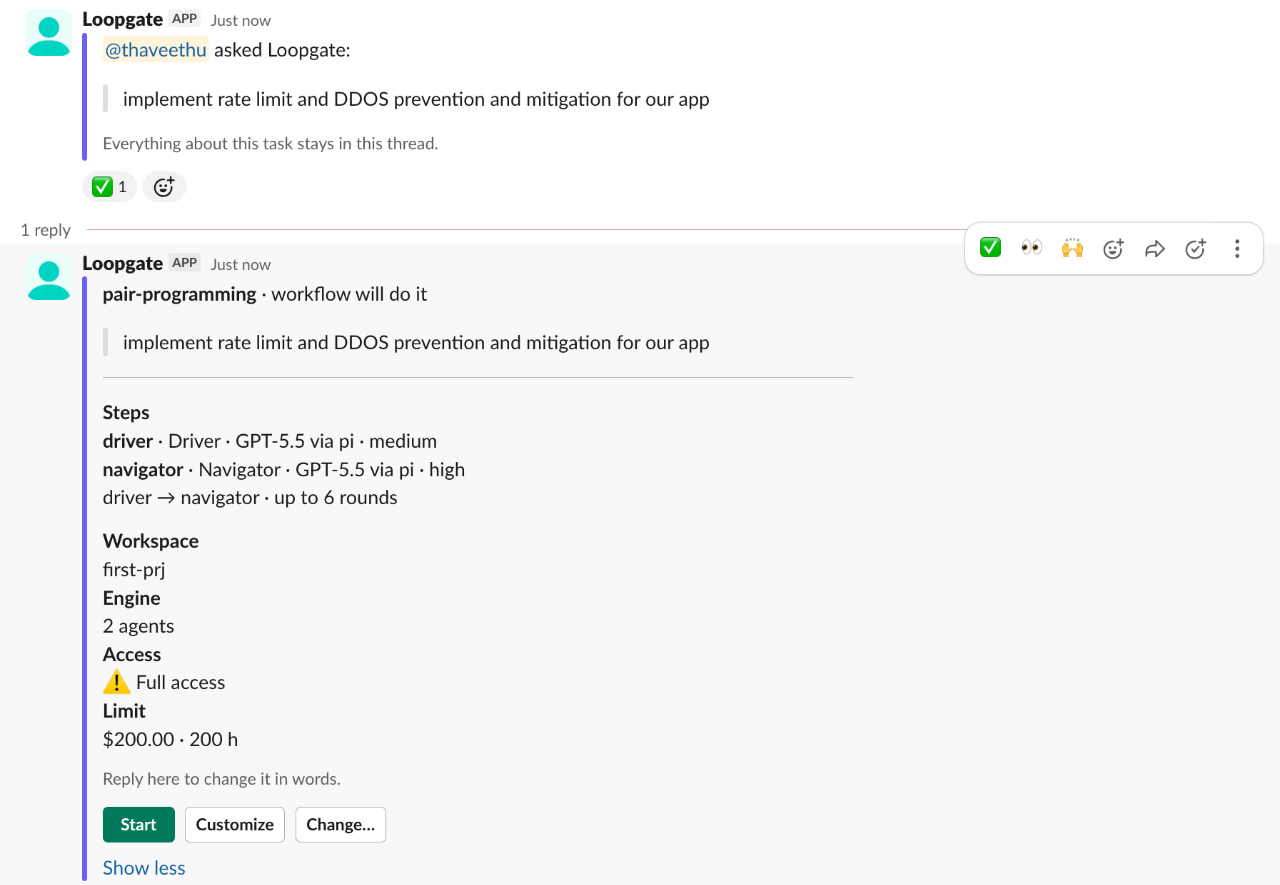
Read it top to bottom. Who works it: pair programming, a driver and a navigator. The task in their words, quoted. Each step's model and thinking. The workspace. The access. The limit.
Nothing runs until someone presses Start. Customize changes each step's model, thinking and instructions for this run.
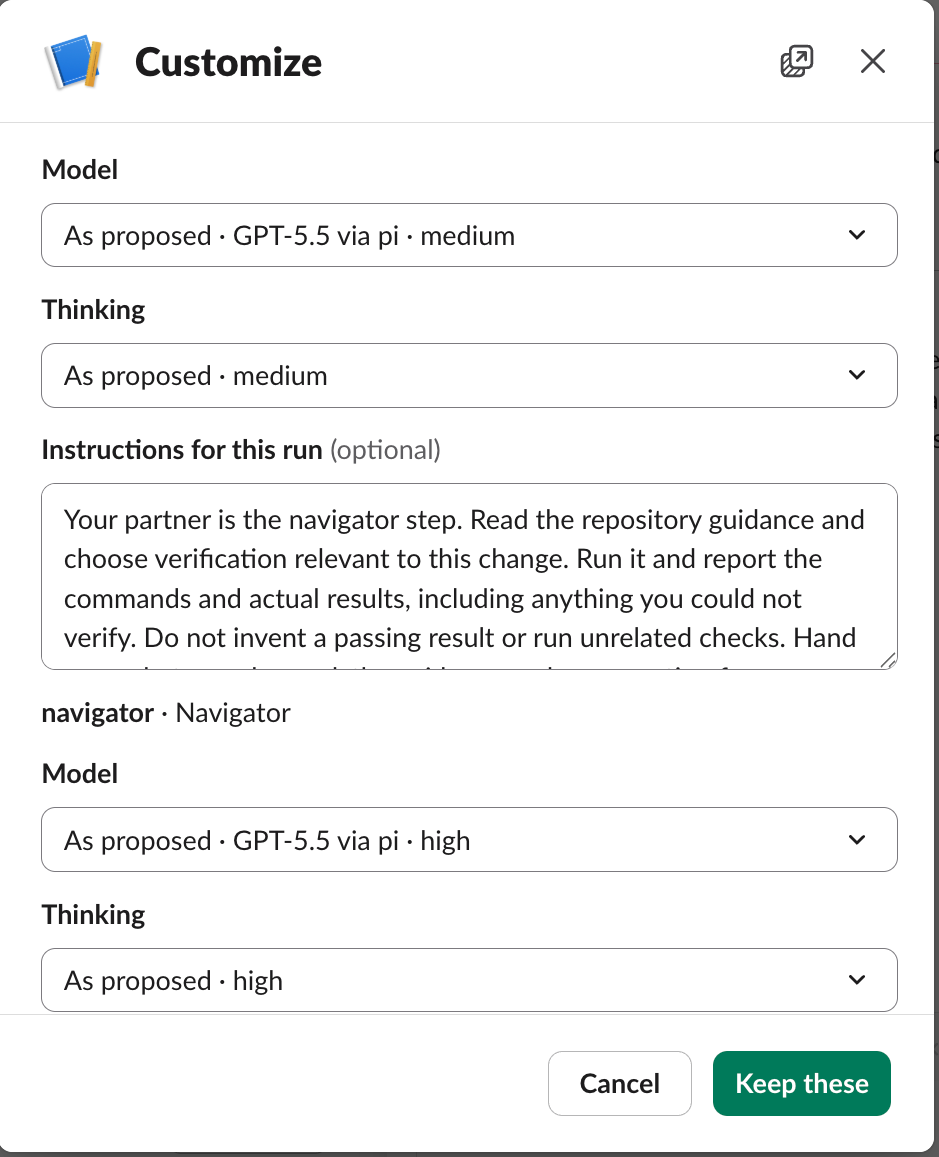
Start was pressed. The card became the progress card, in place. The thread gained a post only for each reply and the finish.
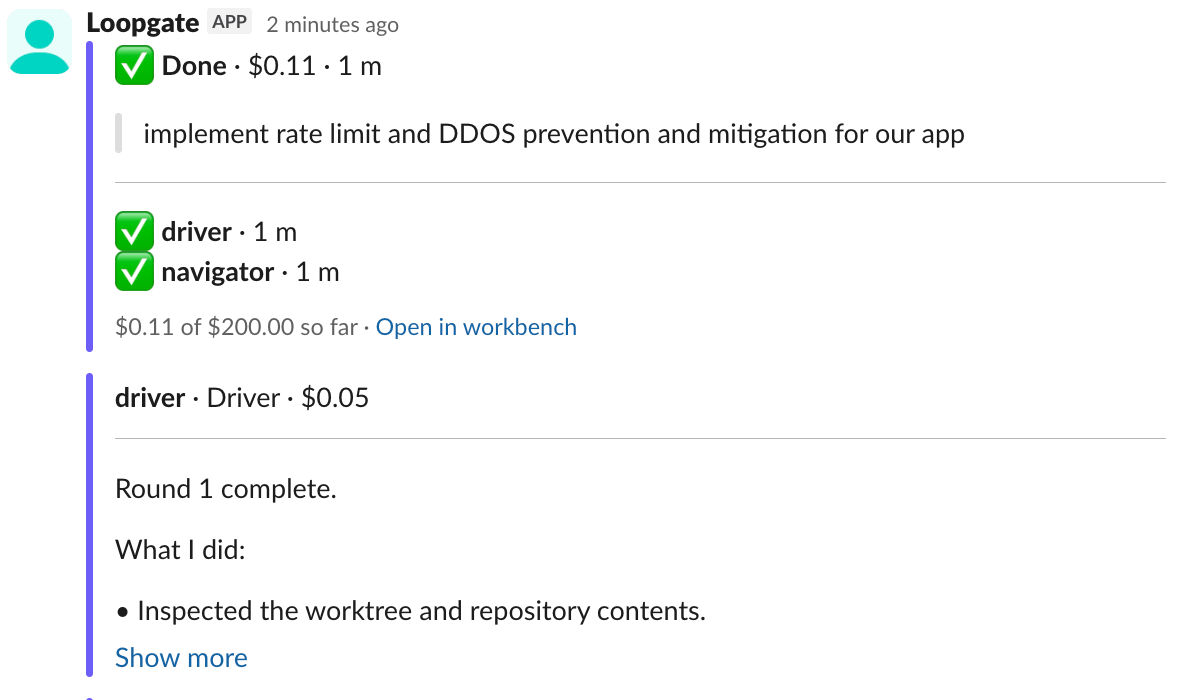
Eleven cents, one minute. That run proved the plumbing, not the agents. The repository was empty. A real task takes longer and costs more, and the card says how much as it goes.
The ceiling
Every task started from Slack has a limit in dollars and hours. You set it once, in Settings → Slack. The card shows it. The run stops there.
I set mine to two hundred dollars and two hundred hours on the test workspace, which is too high. Pick a number you would not mind losing on a bad day.
Full access, said plainly
A task from Slack runs with Full access on every agent step. Nobody sits beside a server to approve each tool call, so asking would stall every run.
The card says ⚠ Full access before Start. Customize lowers it to Workspace or Read only for that run. An org whose policy forbids Full access refuses the start, in one sentence, in the thread.
Full access means the harness runs without tool checks, on your box. It does not skip the limit, the gates or the record. And no task opens a pull request on its own. Open pull request is a button, and it is yours.
What opens the browser
Slack does most of it. Approvals, choices and a document's first lines are buttons in the thread. A free-text question takes your next reply. Stop and Retry are there.
Some things are not. Several questions at once. A whole document to edit. Raising a limit after a stop. Adjust and retry. Each post that needs one carries Open in workbench.
Only the person who started the thread is heard in it, unless a gate names a teammate by email: then the thread mentions them when it opens and takes their press as well. Anyone else opens the workbench and answers there, and the record names who did.
The switch
Revoke the runner in the portal. Within a minute nobody can reach it. Remove a teammate from the org, and within a few minutes the runner stops admitting them.
The box is still yours after that. Stop it, move it, delete it.
Thirty minutes
The team guide puts the whole thing at thirty minutes in one sitting: the box, the line, the engines, GitHub and the Slack app. If you want it on a laptop first, that guide says five minutes with Node: npx loopgate ui.